Free feature
One link, and everyone can see the roster
Switch on the public roster and FairTurns gives you a link to paste into the group chat, the newsletter or the noticeboard QR code. Anyone who opens it sees who is on and when. No account, no password, no app.

The roster people actually look at
Brookfield Kindy has forty families on its parent help roster. Most of them will never sign up for anything. What they will do is tap a link in the class group chat while waiting at pick-up. The public roster is made for that moment: it opens fast on any phone, shows the next few weeks, and the parent can see that they’re on fruit and veg prep on Thursday 14 May.
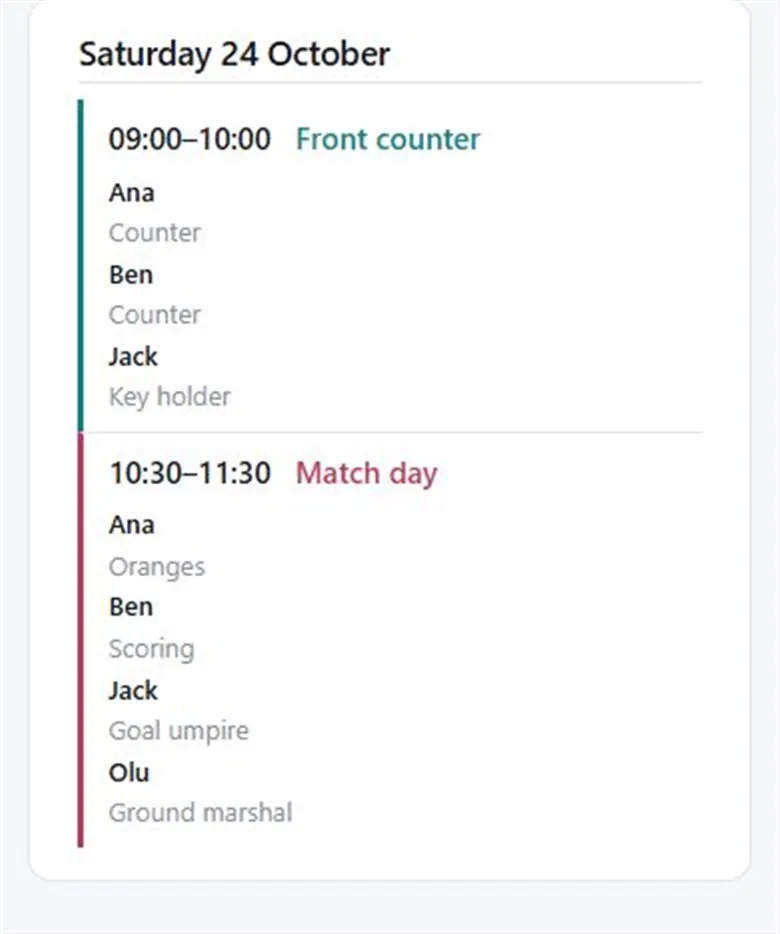
Because it’s one link, there is only one version. Change the roster and the link shows the change straight away, so nobody is working from last month’s printout.
What it shows, and what it doesn’t
| On the public roster | Shown |
|---|---|
| Dates, times and team names | ✓ |
| Who is on each date, by the name you gave them | ✓ |
| The organisation’s address (only if you switch it on) | ✓ |
| Email addresses | — |
| Away days, or anything about why someone isn’t on | — |
Anyone with the link can see it, so for children’s rosters first names or initials are wise. You choose the names, so “Mei W.” or “The Okafors” works fine.
Switching it on
- 01
Open Settings
In your organisation, go to Settings and the Public roster tab. It is off until you switch it on.
- 02
Choose how far ahead
Under The list shows the next, pick 4, 8, 12, 26 or 52 weeks.
- 03
Choose the calendar range
Under The calendar can be paged to, choose Only those weeks, This month onwards or Any date, past or future.
- 04
Copy the link
Your link looks like fairturns.com/r/… Press Open the roster to see it as others will.
- 05
Share it
Paste it in the group chat, the email newsletter, or print it as a QR code for the noticeboard.
List or calendar
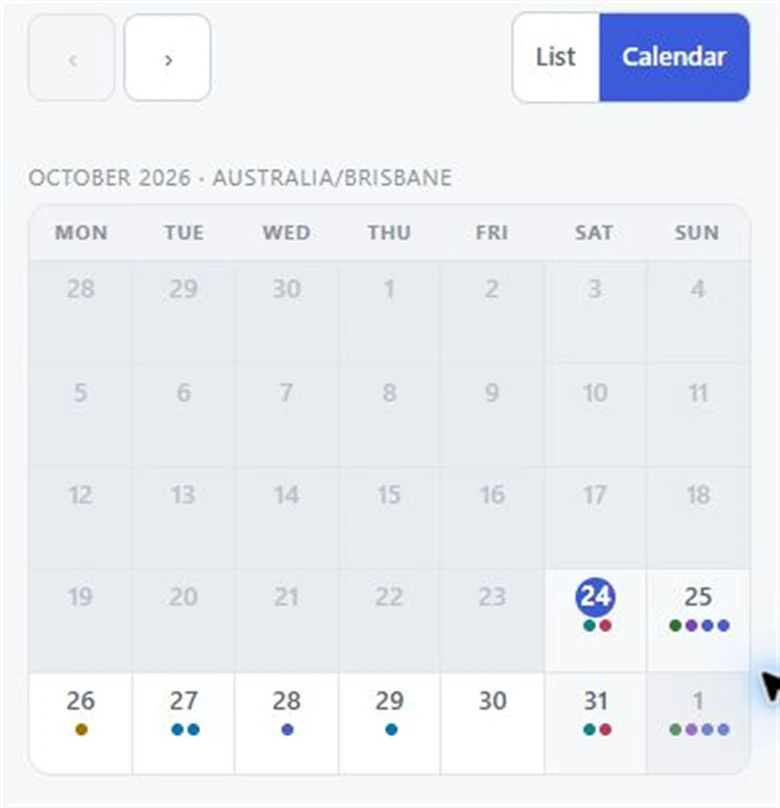
The page opens as a list of dates with names under each. A Calendar button switches to a month view: tap a date to see who is on it. Both work on old phones, on a weak connection, and with scripts turned off.
If the link goes too far
Shared the link somewhere you shouldn’t have? Replace this link in Settings makes a new one, and the old link stops working everywhere it was shared. Send the new one out to the people who need it. Turning the public roster off instead keeps the same link for later.
The public roster is free, for every organisation, with no limit on who opens it. It sits nicely next to roster reminders on Pro, which send each person their own dates.
Questions
Can I share a roster without everyone making a login?
Yes. Switch on the public roster in Settings and share the link. Anyone can open it on a phone or computer without signing in.
Does the public roster show email addresses?
It shows names and dates only. Email addresses and away days are never shown.
Can I limit how far ahead people can see?
Yes. Choose 4, 8, 12, 26 or 52 weeks for the list, and how far the calendar can be paged.
What if the link gets passed around?
Press Replace this link in Settings. A new link is made and the old one stops working.
Read next
Kindy and preschool parent help
Fruit, laundry and parent help days for each kindy group, with one link for every family.
People without email
Add people by name only. They’re rostered, printed and shown on the link like anyone else.
Printable vs online roster
Paper, spreadsheet, group chat or a roster app: what each is good at, and the signs it’s time to move online.
Make your roster free
Click a day, add people, share one link. No card, no limit on people or dates.