Free feature
Put people on the roster without an email address
Not everyone on a roster wants an account, or has an email you can use. Add them by name and they’re on the roster like anyone else: filled, printed and shown on the public link.

Margaret doesn’t do email
Every volunteer group has a Margaret. She has done Tuesday mornings at the op shop for eleven years, she has a landline and a diary, and she isn’t about to make an account. Ken and Beryl are much the same. A roster tool that needs everyone’s email address leaves them off, or makes you keep a second list on paper.
In FairTurns you add them by name. That’s it. They can be put on dates, Fill shares turns out to them like everyone else, they appear on the printed roster and the public link, and the person who runs the roster keeps track of their away days.
Four ways to add people
By email
They get one invitation. Once they accept, they can sign in, see their dates and mark days away.
By name
No email needed. Shown as Roster only. Nobody is emailed.
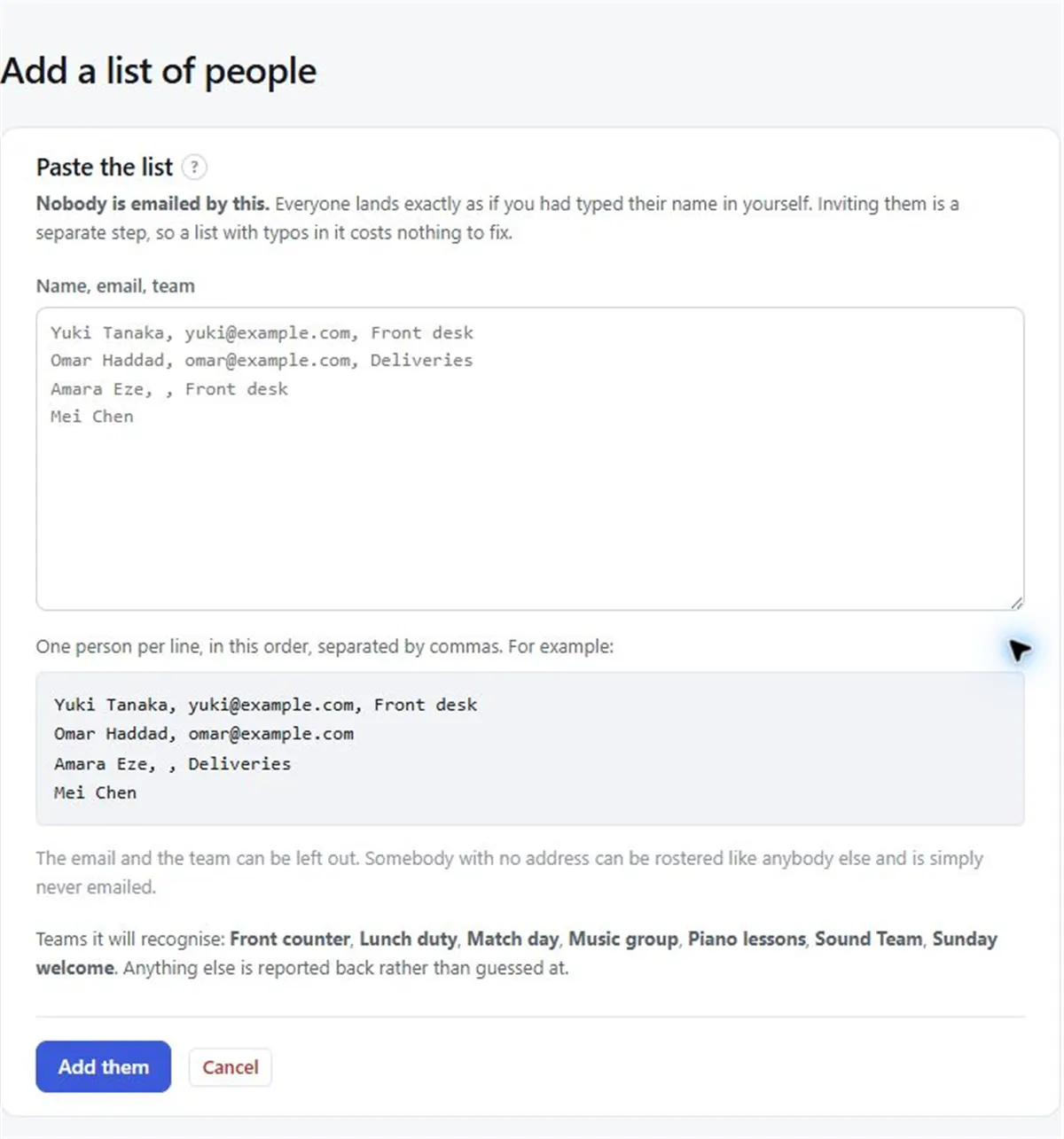
Paste a list
One person per line: name, email, team. The email can be left out. Nobody is emailed by this.
Join link
Off by default. Anyone with it can join after confirming their email.
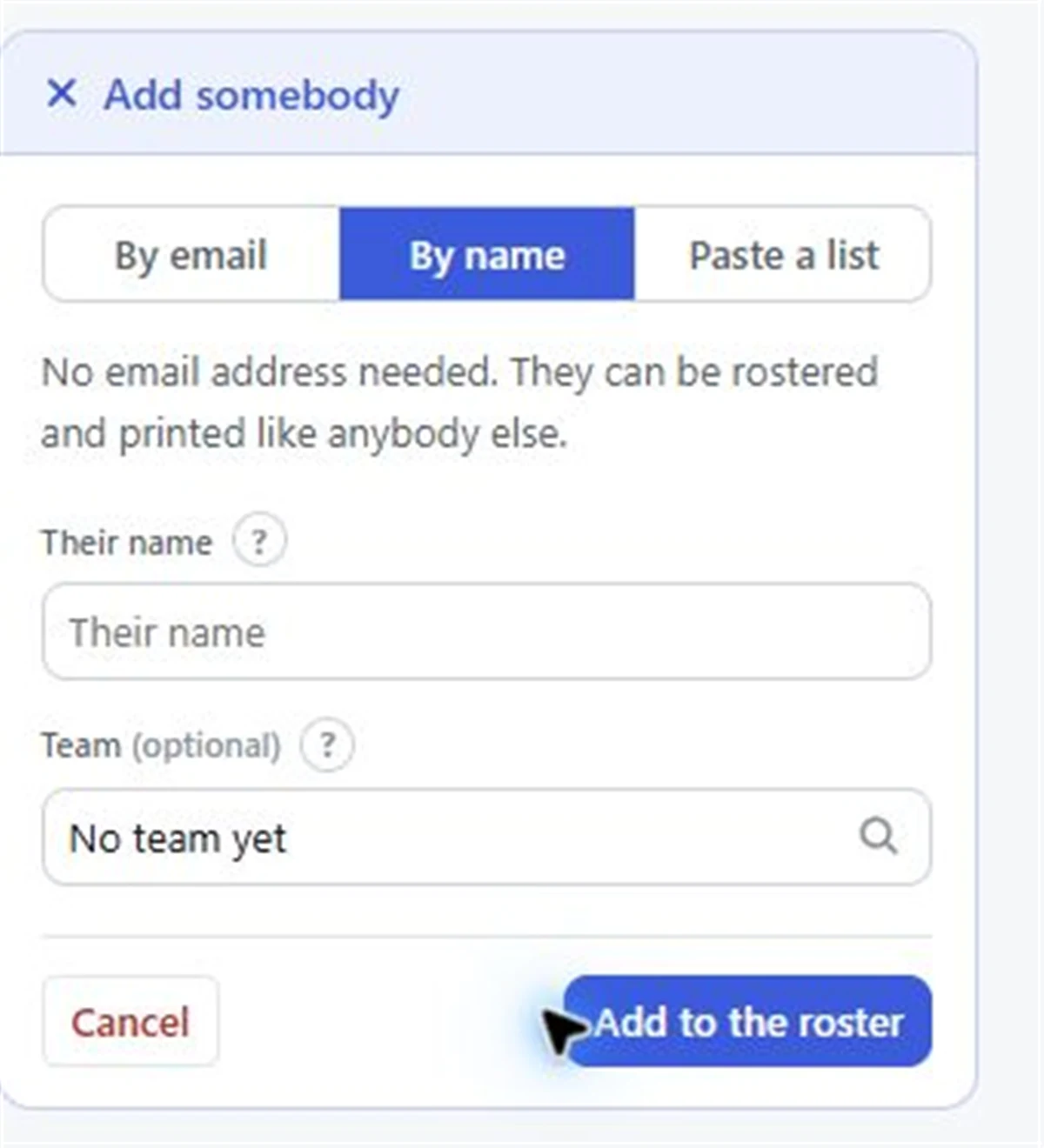
Adding someone by name
- 01
Open People
In your organisation, go to People.
- 02
Choose By name
Pick By name and type the name as you want it shown on the roster.
- 03
Put them on a team
Choose the team they help with, so Fill can use them.
- 04
Set their away days
If Margaret is away in June, an organiser marks it for her. Fill leaves her off those days.
Later, if they want an account
If Beryl’s grandson sets her up with email next year, choose Add email on her entry and send the invitation. Her turns so far stay with her, and once she accepts she can sign in and mark her own away days.
Good to know
- People added by name only don’t get any email from FairTurns, including the Pro schedule and reminders. Print the roster for them, or ring them, as you do now.
- Pro replies (“I can do it”, “I can’t make it”) come from people with an account, so an organiser answers for those without one.
- When you paste a list with email addresses in it, nobody is emailed until you send each invitation.
Adding people by name is free, with no limit on how many.
Questions
Can I make a roster without everyone’s email?
Yes. Add people by name only. They can be rostered, filled, printed and shown on the public link like anyone else.
Can I add a whole list at once?
Yes. Use Paste a list with one person per line: name, then email if you have it, then team. Nobody is emailed by it.
Can someone without an account be marked away?
Yes. An organiser can set away days for them, and Fill leaves them off those days.
Do they get reminders on Pro?
Roster emails go only to people who have accepted an invitation. For someone added by name, add their email and send the invitation when they’re ready.
Read next
Op shop and charity shop roster
Counter, sorting room and key-holder shifts for an op shop, with long trips away handled.
Away days
Each person marks the days they can’t do, once. Fill leaves them off those days. Free.
Add people
Add people to your FairTurns organisation by email invitation, by name only with no email, or by pasting a list from a spreadsheet.
Make your roster free
Click a day, add people, share one link. No card, no limit on people or dates.