Pro feature
When someone can’t make it, the next person is asked
Switch on Put people on them automatically and the roster looks after itself between your visits: new dates get people as they appear, and a place someone can’t make goes to the next person in line, who is asked.

Finding cover without the phone tree
It’s Wednesday and Liam has just said he can’t do Saturday’s 6 am bar set-up at the Valley Rugby Club. Normally that’s the start of a string of texts: Jack can’t, Tomás doesn’t answer, Aisha says yes on Friday night. With filling by itself, Liam presses I can’t make it in his reminder email, and at its next hourly run, FairTurns puts the next person in line on and asked. If they can’t either, the next one is asked, and so on until somebody can or nobody free is left.
Two jobs it does
New dates are filled
A repeating schedule adds a new date as each one passes. Those dates get people the same way Fill empty places does: fewest turns first, away days respected, no clashes.
Cover is found
When somebody can’t make a date, the next person in line is put on the place and asked whether they can make it, down the line.
Who is “next in line”?
The same person Fill would choose: someone set up for that position, not away that day, not already on somewhere else at that time in your organisation, with the fewest turns. If How often is set, whoever is furthest behind their share goes first. Only people with an account are asked, because only they can answer.
Switching it on
- 01
Open the team’s Fill page
Go to the team and choose Fill.
- 02
Find Filling by itself
It’s a card on the Fill page.
- 03
Choose
Pick Put people on them automatically.
- 04
Save
From now on, new dates and declined places are filled for you.
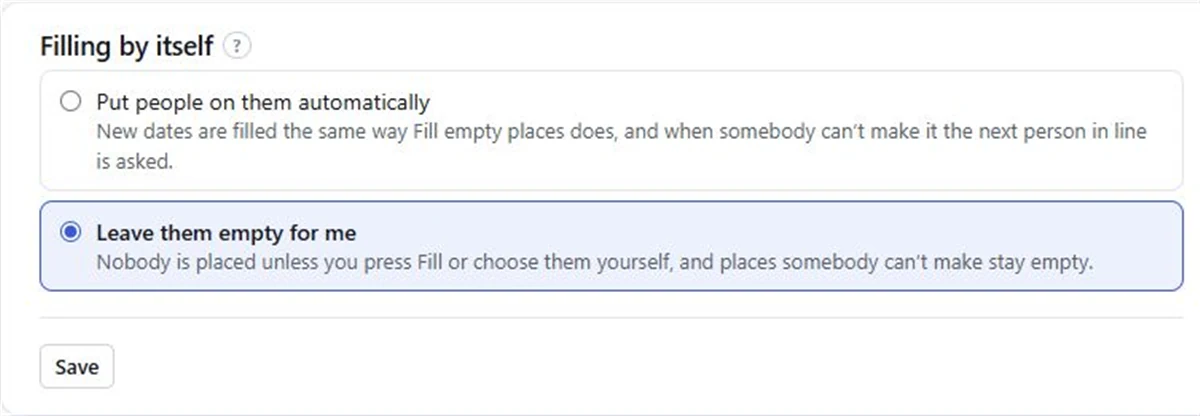
Prefer to stay in charge? Choose Leave them empty for me and nobody is placed unless you press Fill or put them on yourself. Places someone can’t make stay empty for you to sort out. You can switch per team.
Good to know
- It works best alongside roster reminders, since that’s where the “can’t make it” buttons arrive.
- People added by name only are never asked. They can still be put on by Fill and by you.
- There’s no swap between two people. The place opens, the next person is asked, and an organiser can always move people by hand.
What Pro costs
Pro is A$1 a month per organisation, paid 1 to 5 years at a time (A$12 to A$60), with GST included in Australia. It covers every team and person, and also adds replies, roster emails and How often. See pricing.
Questions
Can a roster find a replacement automatically?
Yes, on Pro. When someone says they can’t make it, the next person in line is put on the place at the next hourly run and asked. If they can’t either, the next one is asked.
Will it change dates I already filled?
It fills new dates and places someone has said they can’t make. People already on stay where they are.
Can I turn it off for one team?
Yes. It is set per team on the Fill page. Choose Leave them empty for me and nothing changes unless you do it.
What does it cost?
Pro is A$1 a month per organisation, paid 1 to 5 years at a time, A$12 to A$60.
Read next
Replies
People answer “I can do it” or “I can’t make it” straight from the email. Pro.
When someone can’t make it
What to do when someone drops out of a shift: who to ask, what to say, and how to stop it every week.
Club bar and BBQ
Bar shifts for RSA holders and BBQ turns for everyone else, on Friday nights and game days.
Make your roster free
Click a day, add people, share one link. No card, no limit on people or dates.