Pro feature
Not everyone should be on as often
Your most experienced person happily does every other week. The new helper wants a taste first. How often lets you say so, person by person and position by position, and Fill follows it.

One rule for everyone doesn’t always fit
At Greenfield Swim Club, Sofia has run the timekeeping desk for six seasons. She would do every meet if you let her. Kofi and Mei are learning, and Hamish only wants the odd Sunday now his twins have started rep netball. Fill’s usual rule, fewest turns first, would give all four about the same number of meets. That isn’t what anyone wants.
How often changes the rule for the people you choose. Fill, Redistribute and filling by itself then go by each person’s setting: whoever is furthest behind their share of that position goes first.
The four settings
| Setting | Compared with Normal | Good for |
|---|---|---|
| More often | About twice as often | The old hand who knows the job |
| Normal | The usual share | Most people |
| Less often | About half as often | Someone busy this term |
| Now and then | About a quarter as often | A trainee, or a reserve who likes to keep their hand in |
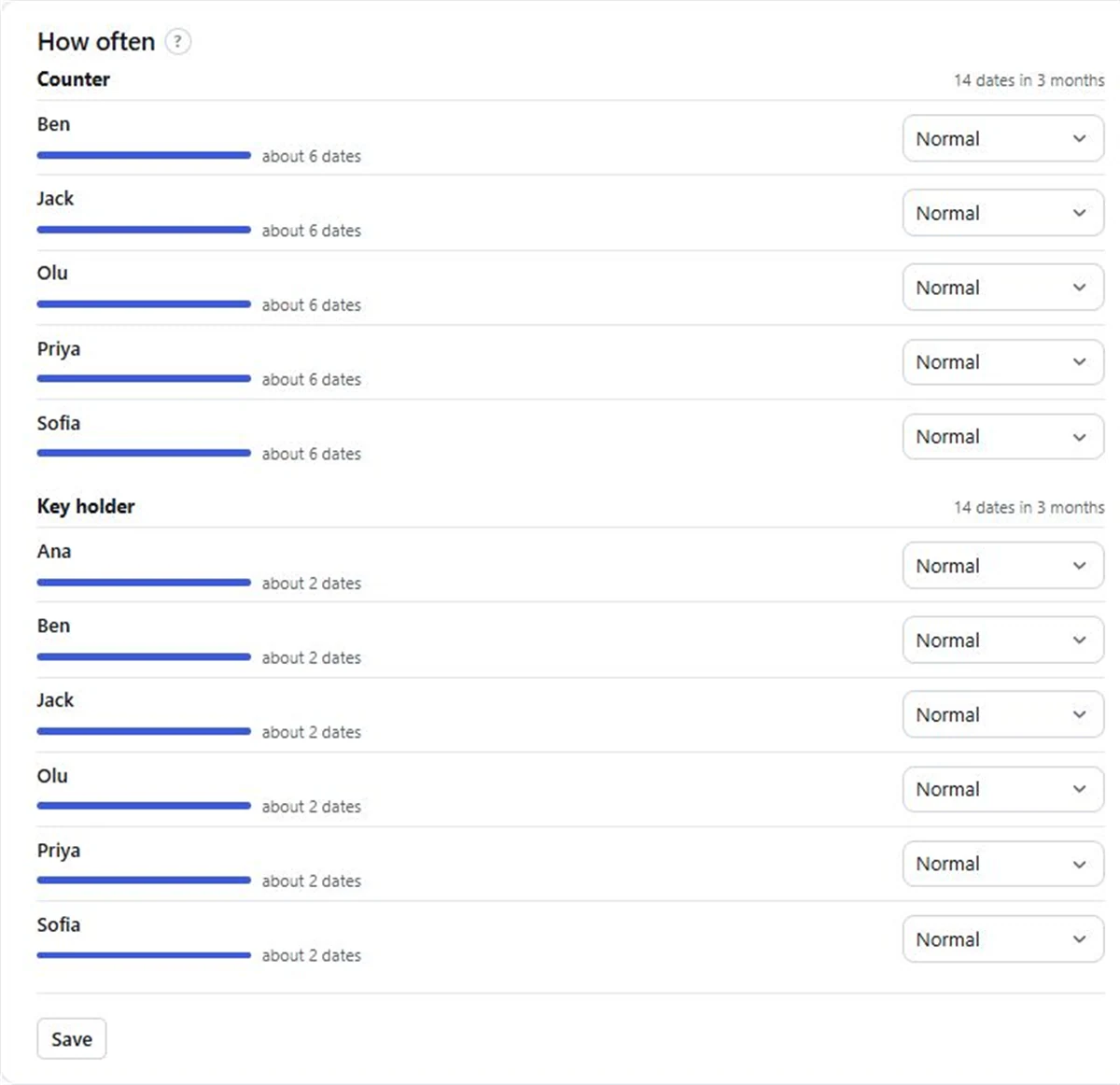
Beside each person, the page shows roughly how many dates that comes to over the next three months. It’s a guide: away days move it a little.
Position by position
Settings belong to a position, not a person. Sofia can be More often on Timekeeping and Normal on the Canteen. Someone who does two positions has a setting for each, and people on another position never change who is next on this one. That makes it a good fit for an experienced and trainee roster: put a Lead position and a Helper position on each date, and set the helpers who are still learning to Now and then.
Setting it up
- 01
Open the team’s Fill page
Go to the team and choose Fill. The How often card is on that page.
- 02
Pick a position
Choose one under Which position, or see every position at once.
- 03
Choose each person’s setting
More often, Normal, Less often or Now and then.
- 04
Save, then Fill
Press Save. The next Fill or Redistribute goes by the new settings.
Without Pro, the How often card is shown but can’t be changed, and everybody is treated the same, fewest turns first.
What Pro costs
Pro is A$1 a month per organisation, paid 1 to 5 years at a time (A$12 to A$60), GST included in Australia. It covers every team, and also adds replies, roster emails and filling by itself. See pricing.
Questions
Can some people be rostered more often than others?
Yes, on Pro. Set each person to More often, Normal, Less often or Now and then for each position, and Fill follows it.
Can I set it differently for each job?
Yes. Settings are per position, so someone can be More often on one job and Less often on another.
Does it change dates people are already on?
Fill only adds to empty places. To share existing dates out again by the new settings, use Redistribute and check the confirmation page.
What does it cost?
Pro is A$1 a month per organisation, paid 1 to 5 years at a time, A$12 to A$60.
Read next
Rostering experienced people with trainees
Pair new people with experienced ones on the roster: how to set it up, how often trainees should be on, and when to let them go solo.
Positions and headcounts
Name the jobs on each date and how many people each needs. Nobody gets a job they’re not set up for.
Fair fill
One button puts people into every empty place, fewest turns first. Free.
Make your roster free
Click a day, add people, share one link. No card, no limit on people or dates.