Away for a stretch
Mark every day of a holiday or busy spell as away in one go, from the first day to the last.
Help topics
Start
Create an organisationAdd your first teamAdd peopleThe join linkAdministrators, moderators and membersDates
Add a dateRepeating datesChange or cancel one dateKeep dates aheadPositions
Positions and headcountsWho can do whatFilling the roster
Fill empty placesRedistributeClear the rangeSame person all dayReading Turns bookedSharing
The public rosterYour next datesAway days
Mark yourself awayAway for a stretchAway regularlyAway days for people without an accountPro
What Pro addsReplying to a dateRoster emailsHow oftenBuying and renewing ProYour account
Sign-in codesChange your emailStop invitationsWhen something goes wrong
Didn’t get an emailA link has expiredTake back an answerMark the stretch
Kofi is visiting family in Accra from 3 to 24 July, and he is on the Saturday barbecue at Westgate Rugby. Pressing Away on each Saturday would work, but a stretch covers every day in between, including dates that haven’t been added to the roster yet.
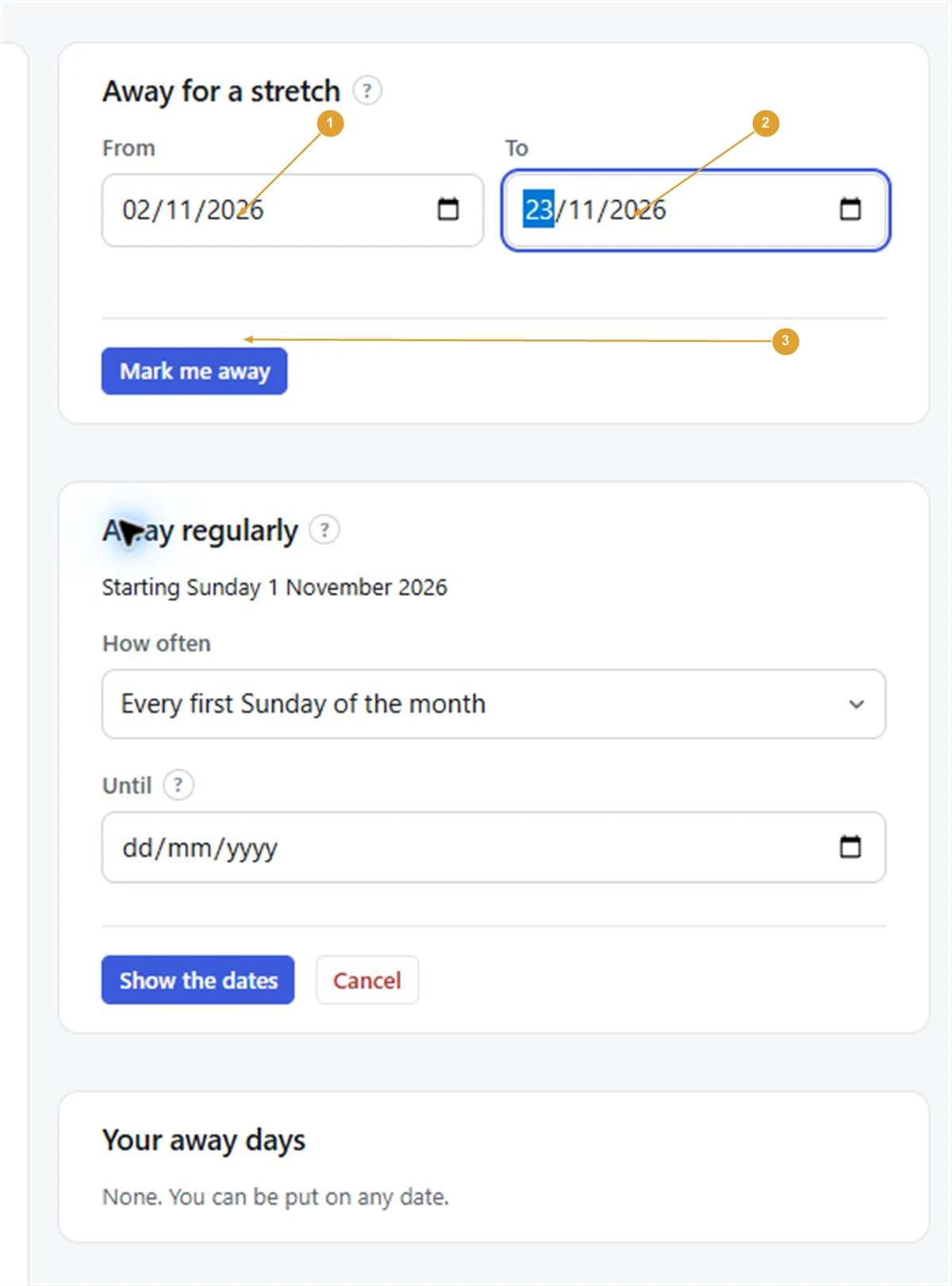
- Open your away days: press Mark yourself away under Your next dates on the calendar, or open your account and press Your away days.
- In the Away for a stretch box, set From to the first day you are away.
- Set To to the last day you are away.
- Press Mark me away.
- A page asks Mark away for 22 days? (or however many) and lists any dates you are already on in that stretch. Press Mark away.
The stretch now shows under Your away days, written as a range with the number of days. Every one of your teams’ dates in it shows Away in the upcoming list.
Note: If you are already on a date inside the stretch, you stay on it. FairTurns lists those dates so you know which ones to sort out with your organiser. With Pro, you can tick Also tell them I can’t make it for each one before pressing Mark away.
Limits worth knowing
- A stretch can be up to 92 days, about three months. For longer, add a second stretch that starts the day after the first ends.
- The first day can’t be in the past.
- If you are in more than one organisation, the stretch applies to whatever New marks apply to is set to at the top of the page.
Remove or shorten it
Plans changed and you are back early? Under Your away days, press Remove beside the stretch. Then add a new, shorter one if you still need it. You can also press Not away on any single date in the upcoming list to free just that day.
Organisers see you as Away on those days and Fill leaves you off them. They don’t see where you are or why.
Related: Mark yourself away for a single date, and Away regularly for something that repeats.
Still stuck?
Email info@fairturns.com and say what you were trying to do.