The public roster
Publish a read-only copy of the roster at a link that anyone can open on a phone, with no sign-in.
Help topics
Start
Create an organisationAdd your first teamAdd peopleThe join linkAdministrators, moderators and membersDates
Add a dateRepeating datesChange or cancel one dateKeep dates aheadPositions
Positions and headcountsWho can do whatFilling the roster
Fill empty placesRedistributeClear the rangeSame person all dayReading Turns bookedSharing
The public rosterYour next datesAway days
Mark yourself awayAway for a stretchAway regularlyAway days for people without an accountPro
What Pro addsReplying to a dateRoster emailsHow oftenBuying and renewing ProYour account
Sign-in codesChange your emailStop invitationsWhen something goes wrong
Didn’t get an emailA link has expiredTake back an answerPublish it
Half the parents at St Columba’s P&C will never make an account, and they don’t need to. A public roster link shows who is on and when, on any phone, with nothing to install. It is off until an administrator switches it on.
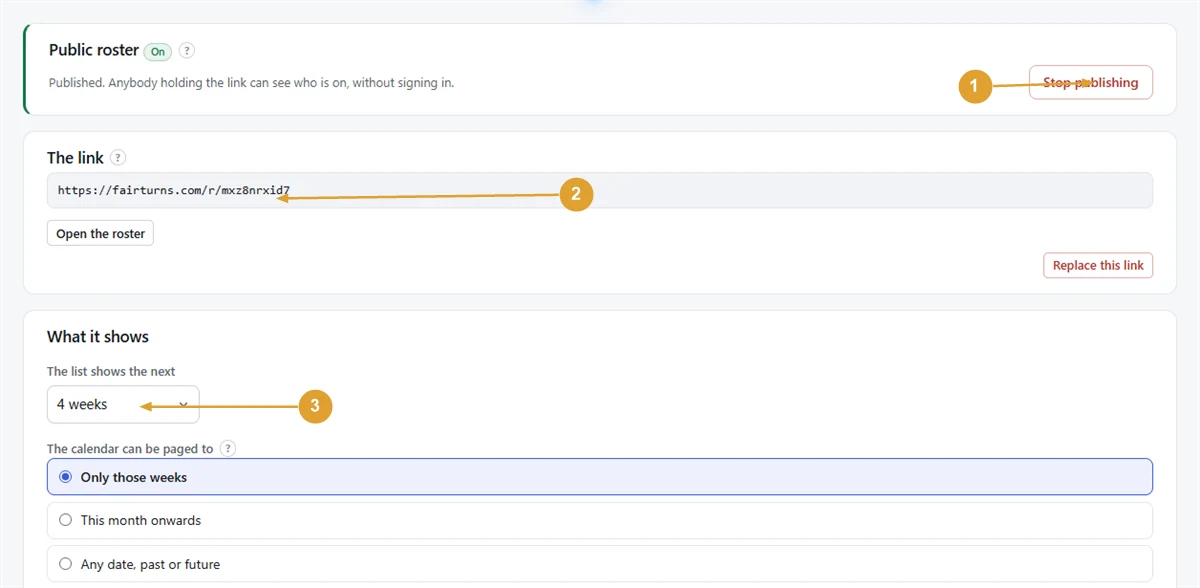
- Press Settings in the menu, then the Public roster tab.
- Press Publish the roster. The heading now says On.
- The link appears under The link (fairturns.com/r/ followed by a code). Press Open the roster to see what others will see.
- Share the link: the newsletter, the group chat, a sign on the canteen door.
Choose what it shows
Under What it shows:
- The list shows the next 4, 8, 12, 26 or 52 weeks.
- The calendar can be paged to: Only those weeks, This month onwards, or Any date, past or future.
- The address: tick Show it on the published page to show the organisation’s address. It can only be ticked once there is an address on the Organisation tab.
Press Save. The line above the button sums up who can see what.
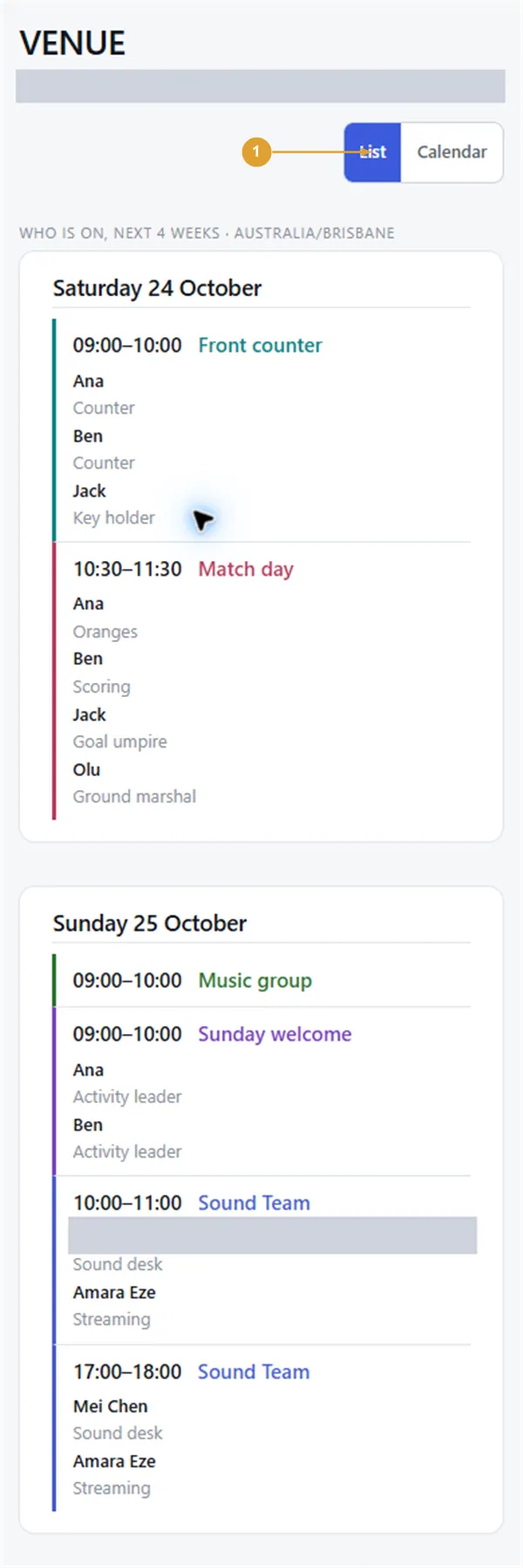
People opening the link choose List or Calendar at the top. Each date shows the time, the team, any position, and the names of the people on it.
Note: The page shows names and dates only: never email addresses and never away days. Anyone holding the link can see it, so for a roster with children on it, use first names or initials. The page is kept out of search engines.
Switch it off or change the link
- Stop publishing takes the page down; confirm with Stop publishing again. Your settings and the link are kept, so publishing again brings back the same link.
- Replace this link makes a new address and the old one stops working everywhere straight away. Confirm with Replace the link, then send the new one out.
People with an account see more in the app, starting with their next dates. For people without an email address, see Add people. More on the public roster link.
Still stuck?
Email info@fairturns.com and say what you were trying to do.