Change your email
Move your FairTurns account to a new email address, confirmed with a code sent to that address.
Help topics
Start
Create an organisationAdd your first teamAdd peopleThe join linkAdministrators, moderators and membersDates
Add a dateRepeating datesChange or cancel one dateKeep dates aheadPositions
Positions and headcountsWho can do whatFilling the roster
Fill empty placesRedistributeClear the rangeSame person all dayReading Turns bookedSharing
The public rosterYour next datesAway days
Mark yourself awayAway for a stretchAway regularlyAway days for people without an accountPro
What Pro addsReplying to a dateRoster emailsHow oftenBuying and renewing ProYour account
Sign-in codesChange your emailStop invitationsWhen something goes wrong
Didn’t get an emailA link has expiredTake back an answerYour email address is how you sign in and where FairTurns writes to you: sign-in codes, invitations and, if your organisation has them, roster emails. Only you can change it, from your own account page.
Change it
- Open your account: your first name at the top of the page, or Account on the dashboard.
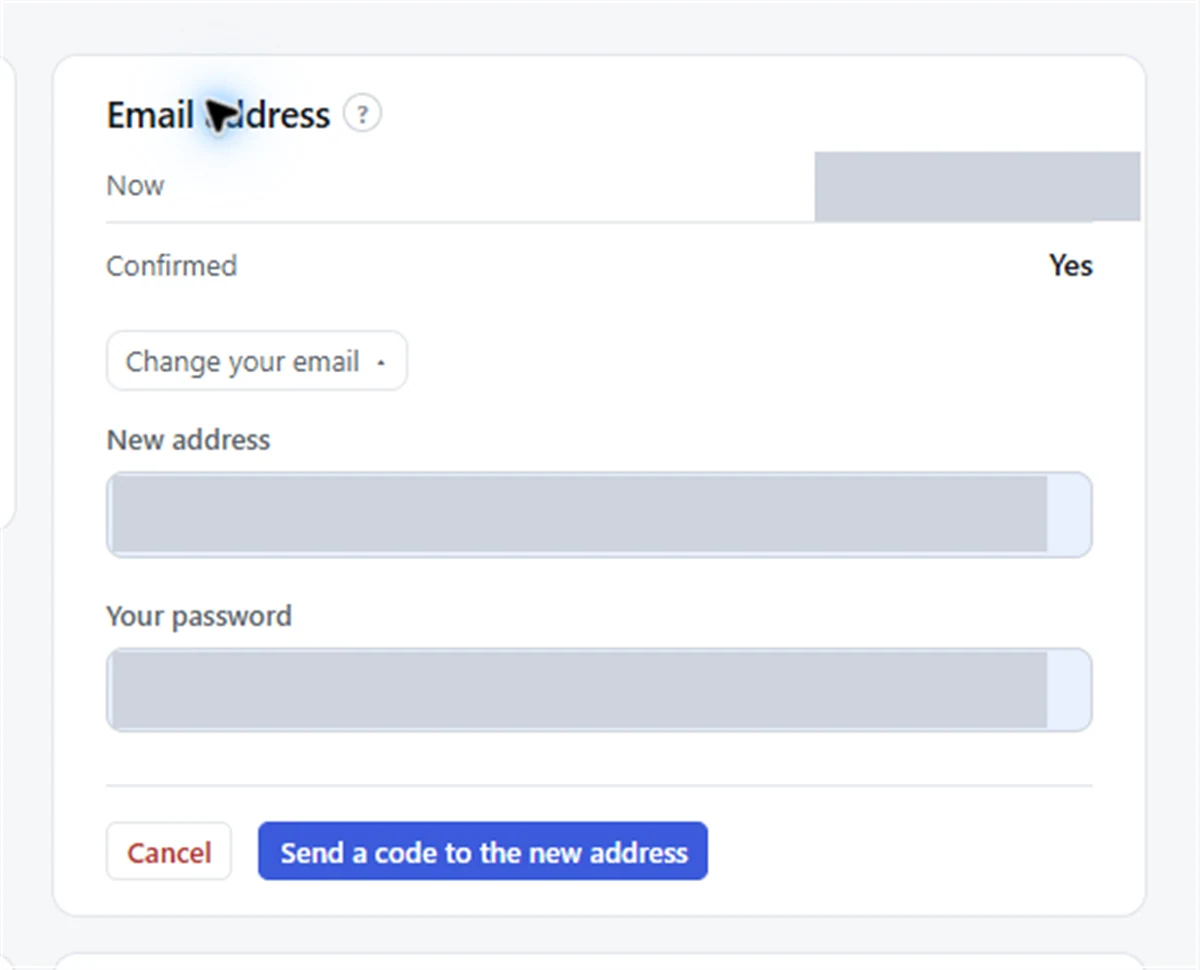
- In the Email address card, open Change your email.
- Type the New address and Your password, then press Send a code to the new address.
- A page headed Check your new inbox opens. Find the email “Confirm your new FairTurns address” in the new inbox.
- Type the six digits into Verification code and press Change my address.
Nothing changes until the code is entered. Your old address then gets an email saying the address was changed, so if somebody else ever tried it, you would hear about it at the address you still have.
Note: The code lasts 15 minutes. If you close the page, your account shows “Waiting for the code sent to” the new address with an Enter it link. Code not arrived? Go back and ask again takes you back to send another.
If the new address already has an account
Some people end up with two accounts: one from a work invitation and one from a club. If the new address already has its own FairTurns account, entering the code shows a page headed Combine the two accounts? It lists every organisation either account is in and how many upcoming dates move across.
- Press Combine the accounts to make them one. You sign in with the new address and the password you use now.
- The other account’s password stops working, and if the same organisation has you twice you keep the higher role.
- Press Cancel to leave both accounts as they are.
Combining cannot be undone, so read the list before pressing the button.
Good to know
Your name and dates stay the same; only the address changes. Organisers see the new address on their People page straight away. If you sign in with a code each time, the next code goes to the new address. See Sign-in codes and, if an email does not turn up, Didn’t get an email.
Still stuck?
Email info@fairturns.com and say what you were trying to do.