Same person all day
Keep the same person on a position for every time on the same day, instead of a different person each time.
Help topics
Start
Create an organisationAdd your first teamAdd peopleThe join linkAdministrators, moderators and membersDates
Add a dateRepeating datesChange or cancel one dateKeep dates aheadPositions
Positions and headcountsWho can do whatFilling the roster
Fill empty placesRedistributeClear the rangeSame person all dayReading Turns bookedSharing
The public rosterYour next datesAway days
Mark yourself awayAway for a stretchAway regularlyAway days for people without an accountPro
What Pro addsReplying to a dateRoster emailsHow oftenBuying and renewing ProYour account
Sign-in codesChange your emailStop invitationsWhen something goes wrong
Didn’t get an emailA link has expiredTake back an answerWhat it is for
The Kingston Lions sausage sizzle at the hardware store runs as two dates on the same Saturday: 8:00–11:00 and 11:00–14:00. Left to itself, Fill treats them as separate dates and may put Olu on the morning and Sofia on the afternoon. Some teams want that. Others would rather one person did the day, so there is one handover instead of two.
Same person all day is a team setting for the second kind.
Turn it on
- Open the team and press the Fill tab.
- Find the Same person all day card.
- Tick it and press Save.

From then on, when the team has more than one date on the same day, the person who gets a place at the first time is kept on the same place at the later ones, as long as they can do it. Untick it and press Save to fill each time on its own again.
What counts
- It works within one team, on one day, place by place: the first Cook stays the Cook, the second Server stays the second Server.
- It applies whenever FairTurns puts people on: Fill empty places, Redistribute, Save and fill the gaps on the calendar and, with Pro, filling by itself.
- It never moves anyone already on. If you put people on by hand, they stay where you put them.
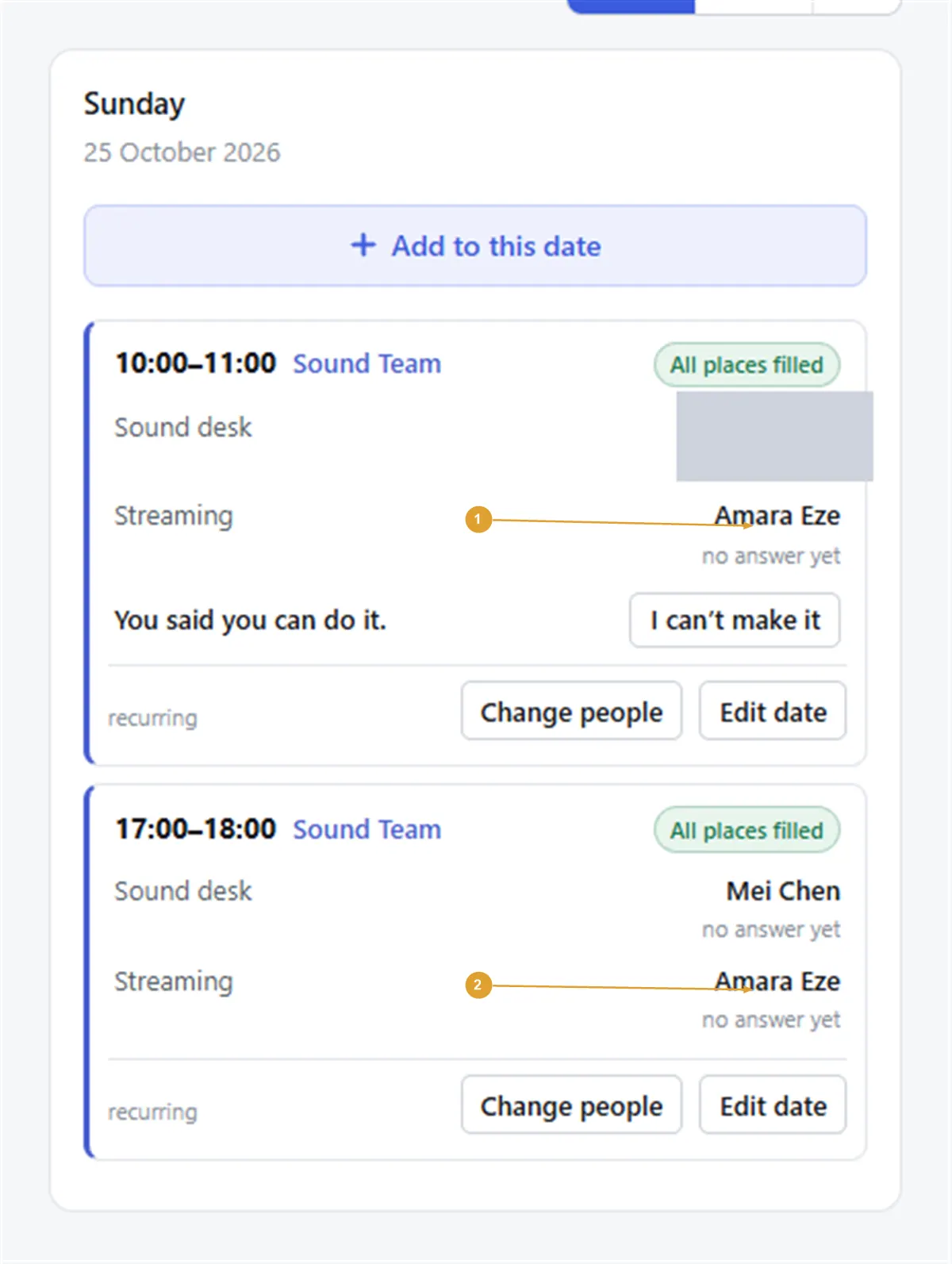
Note: If the person can’t do one of the times, only that time goes to somebody else and the rest of the day stays with them. That happens when they are already on elsewhere in your organisation at that hour, or aren’t set up for the position. Times that overlap each other count as a clash, so give the morning and afternoon times that meet rather than cross.
Good to know
Away days cover a whole day, so someone marked away is off every time that day anyway.
Turns are still counted date by date, so a person who does the whole Saturday has two turns in Turns booked. Bear that in mind if you compare them with people on single-time teams.
If your day is really one long shift, a single date from 8:00 to 14:00 may suit better than two. Split it when you need different people, or different numbers of people, at different times.
Still stuck?
Email info@fairturns.com and say what you were trying to do.